
Knowledge Base
Teach your agent about your business — fill in property details, policies, and services so it can answer guest questions accurately.
What Is the Knowledge Base?
The Knowledge Base teaches Una about your business: property details, policies, amenities, services, location, contact information, and other operational facts. This content is one of the main sources Una uses when answering guest questions, so the quality of your Knowledge Base has a direct impact on response quality.
Before You Start
Before filling in the Knowledge Base, gather the information your team already gives to guests most often:
check-in and check-out rules
cancellation and payment policies
parking, breakfast, pets, children, and extra bed policies
amenities and room highlights
directions, transport, and nearby points of interest
contact details and escalation instructions
If your business operates multiple properties, make sure you are editing the correct agent before you begin.
Accessing the Knowledge Base
Select your agent in the sidebar
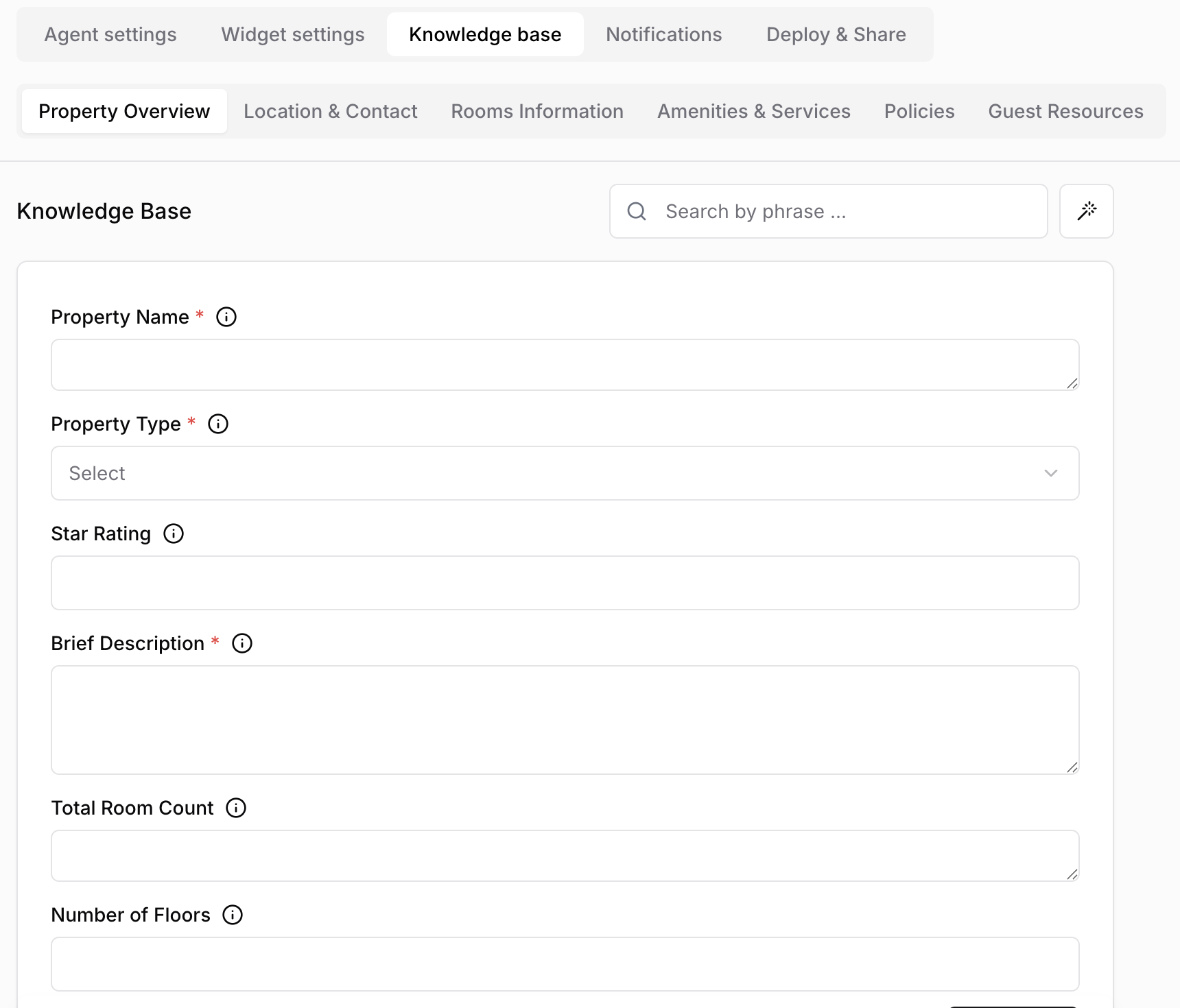
Click Settings > Knowledge base
How the Knowledge Base Is Organized
The Knowledge Base is grouped into sections. Each section contains fields that represent specific facts Una can use in conversations.
Typical sections may include:
Property information
Contact details
Policies
Amenities and services
Transportation and location
Booking or stay instructions
Structure
Sections group related information together
Fields store the actual values Una can use in replies
Required fields are marked with an asterisk and should be completed first
Descriptions or hints may appear next to fields to explain what kind of answer is expected
How Una Uses the Knowledge Base
You enter information in the knowledge base fields
Una uses this information to answer guest questions accurately
The more precise and complete your knowledge base is, the more reliable the responses become
Example
If you configure check-in time as "2:00 PM", add your early check-in policy, and list amenities such as "WiFi, pool, and beach access", Una can answer questions like:
"What time can I arrive?"
"Do you have a pool?"
"Can I check in early?"
The clearer your policy text is, the more confidently Una can answer.
Finding the Right Field Faster
Large knowledge bases can contain many sections and fields. To work faster:
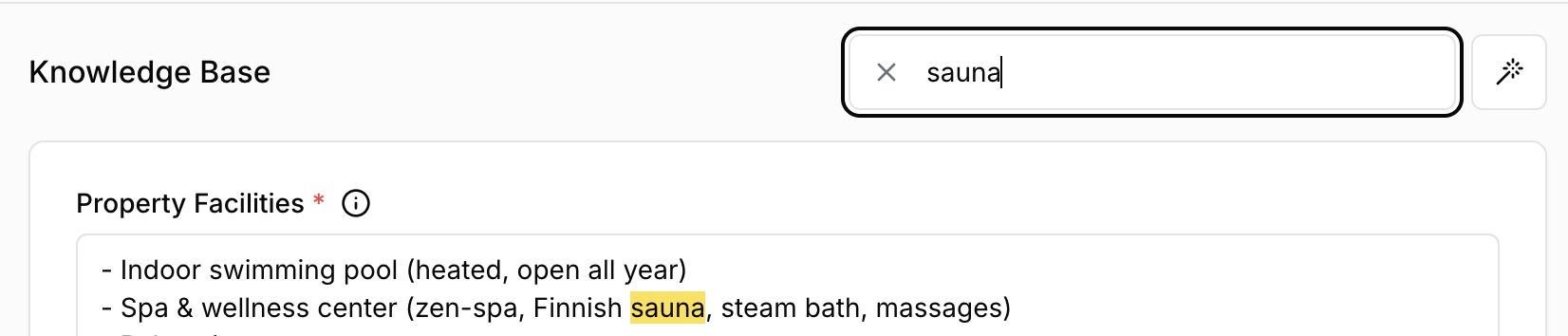
Use the Search function to find matching field names or content
Jump directly to the relevant section instead of scrolling through the full form
Complete all required fields first, then return to optional enhancements
Search is especially useful when you need to update one policy quickly, such as parking, pets, or breakfast times.
Editing Fields
Navigate to the section containing the field
Enter the information requested in that section
Keep answers factual, specific, and written in guest-friendly language
Avoid internal jargon, abbreviations, and notes that only your team would understand
Use the Search function to jump to a field if needed
Autofill Feature
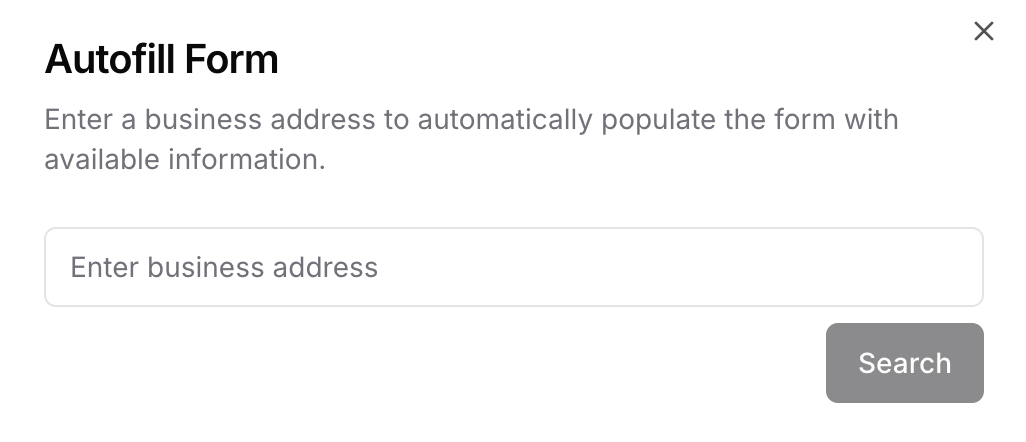
If available for your agent, the autofill tool can help you populate common fields more quickly.
Click the Wand icon
Enter your business or property name
Review the suggested information
Apply the suggested values
Autofill is a starting point, not a final review. Always check generated values before saving, especially for policies, phone numbers, and location-specific details.
How to Write Better Answers for Una
Prefer specific facts over generic marketing text
Write the exact rule, not a vague summary
Include limits, exceptions, and conditions when they matter
Keep one field focused on one topic
Update seasonal or temporary information promptly
Good example:
Check-in starts at 2:00 PM. Early check-in is possible only on request and depends on availability on the day of arrival.
Weak example:
Early check-in may be possible.
The first version gives Una a rule it can actually use.
Review and Test After Updating
After a meaningful update:
Save your changes
Open the chat widget or Conversations section
Ask Una a few realistic guest questions
Check whether the answers reflect the updated policies and details
This is the fastest way to catch missing information before guests see it.
Best Practices
Keep information accurate and up-to-date
Fill required fields first
Add detail where guests actually need it: policies, logistics, amenities, and booking rules
Use complete sentences for policies and instructions
Re-check the Knowledge Base after operational changes, new services, or seasonal updates