
Dashboard Overview
Learn about the Dashboard layout, sidebar navigation, and what you see when you first log into the Polydom platform.
Dashboard Layout
When you log into the Polydom platform, you arrive at the Dashboard — the central hub for managing your agents and companies. The dashboard is divided into two primary sections: the sidebar navigation and the main content area.
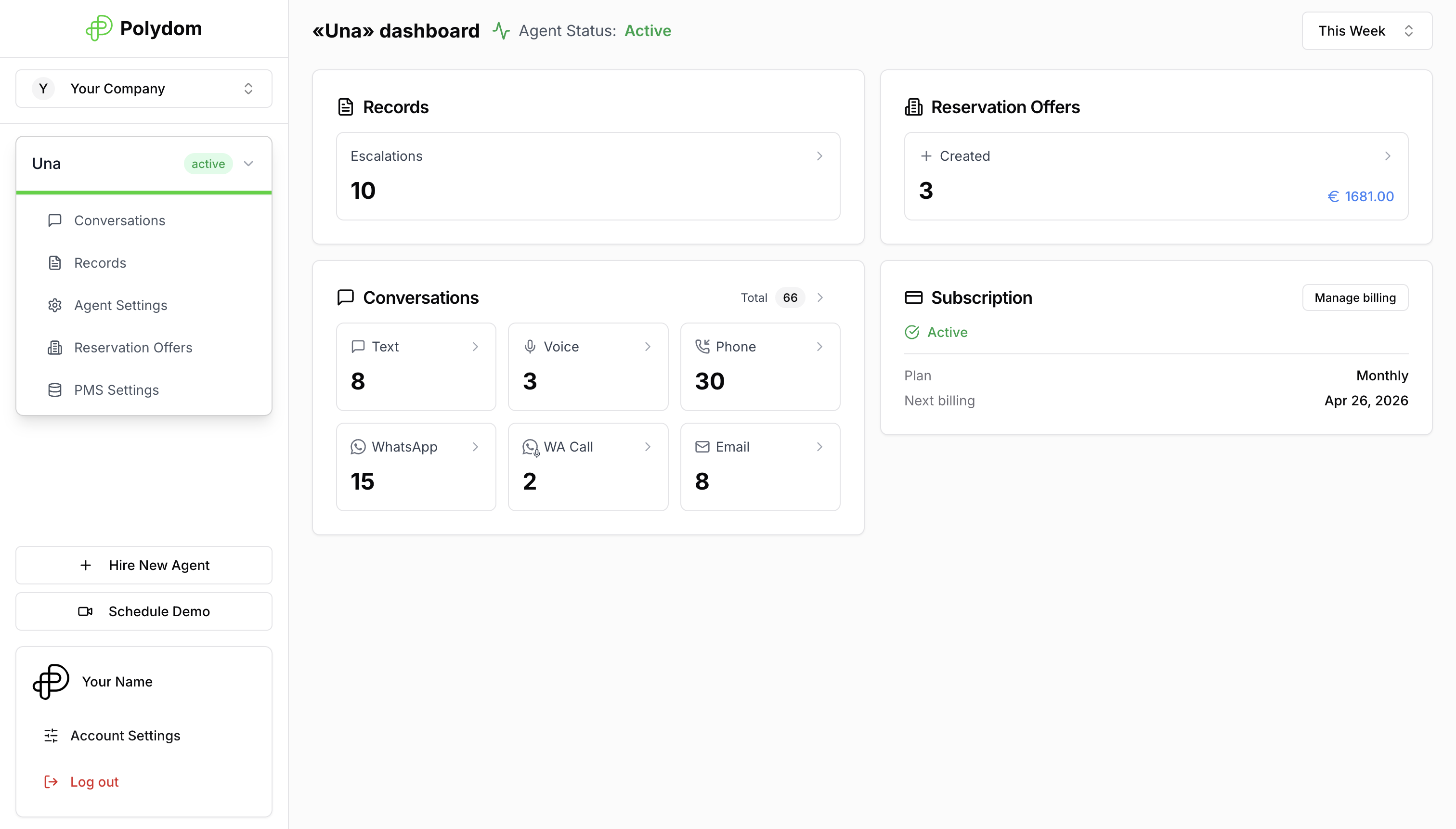
Left Sidebar (Navigation Panel)
The left sidebar is your main navigation hub. It contains:
Polydom Logo — click it to return to the main dashboard
Company Selector — a dropdown to switch between your companies
Agent List — your agents for the selected company, displayed as expandable cards
"Hire New Agent" button — opens the Agent Store (visible for admin/manager roles)
"Schedule Demo" button — book a demo session with the Polydom team via Cal.com
User Profile Card — at the bottom, showing your avatar, name, "Account Settings" link, and "Log out" button
Main Content Area
The right side displays agent information and settings. This area changes based on which agent or section you're viewing. When you select an agent, you'll see its statistics page by default.
In the top-right corner of the dashboard you can see a period selector. Use it to switch between:
Today
This Week
This Month
Last Week
Last Month
Custom date range
Changing the period updates the statistics cards for the selected agent.
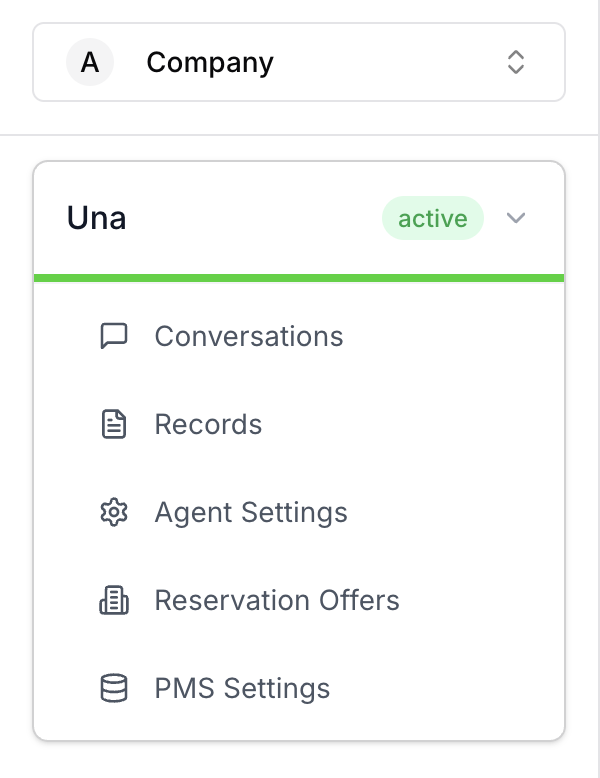
Agent Cards in Sidebar
Each agent in the sidebar shows:
Agent Name and avatar
Status Badge — Active (green), Inactive (gray), or Past Due (orange warning)
Sub-navigation (when expanded): Conversations, Records, Agent Settings, Reservation Offers, PMS Settings
Not all sub-menu items are visible for every agent — availability depends on the agent's type and connected integrations.
Channel Icons in Statistics
On the default Statistics view, the Conversations card shows icons for the channels your agent is using. These icons help you quickly understand where conversations are coming from.
For the full icon legend and channel descriptions, see Chat Sources and Filters.