
Notifications
How notification categories work, how they connect to records, and how to configure email and WhatsApp alerts.
What Are Notification Categories?
When Una cannot handle something on her own — or collects important information during a conversation — she saves a record and can notify your team. Notifications are organized into categories, and each category is an independent stream of alerts with its own recipients.
This means different types of requests can go to different people automatically.
Common Categories
Escalations — present on every agent. Covers guest requests that need human attention: complaints, questions Una cannot answer, booking changes, urgent situations, or anything else that requires a person.
Leads — captures potential new business. When someone asks about availability, pricing, or services but has not booked yet, Una saves their details as a lead for follow-up.
These are the most common categories. Your agent may have additional ones depending on the setup.
How Categories Connect to Records
Each notification category corresponds to a record table. When Una saves data into a category, it appears both as a notification to your team and as a row in the matching Records table.
For example:
A maintenance complaint goes into Escalations → your operations team gets notified → the record appears in the Escalations table
A new booking inquiry from the website goes into Leads → your sales team gets notified → the record appears in the Leads table
Where to Find Notification Settings
Go to Agent Settings > Notifications. You will see your categories as tabs at the top, with Email and WhatsApp toggles inside each one.
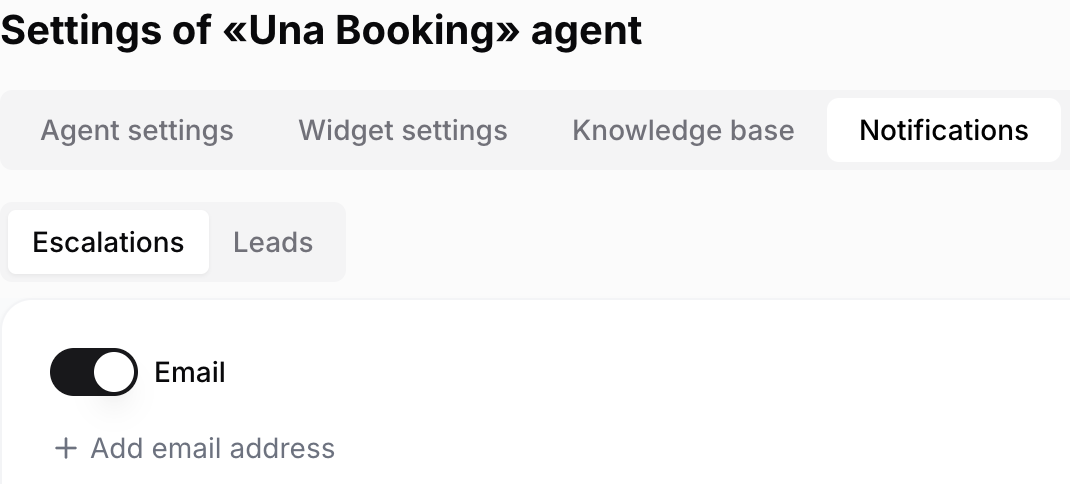
For some PMS integrations (such as Apaleo), a separate Notifications tab is also available inside PMS Settings. Use it to add email addresses for booking-related alerts like new reservations or cancellations.
Notification Channels
Each category can deliver alerts through:
You can enable both channels at once, and each category has its own recipient list. This lets you route different types of alerts to different people.
When to Request Additional Categories
Consider asking the Polydom team to add a new category if:
Different people handle different request types. For example, your front desk handles guest support, but group bookings go to a sales manager. A separate category means each person only sees what is relevant to them.
You want a clean record of a specific request type. For example, a dedicated category for confirmed booking requests gives you a booking log separate from general escalations.
You are adding a new workflow. For example, you want Una to start collecting transfer requests as a separate category so your team can follow up independently.
To request a change, contact the Polydom team and describe what type of request you want separated and who should receive notifications for it.