
Viewing Reservation Offers
Review reservation creation and cancellation activity coming from your PMS-connected agent, with filters and direct links back to the source conversations.
What Reservation Offers Show
The Reservation Offers section lets you inspect PMS-related booking activity generated through your agent. It is especially useful when you want to review:
reservation creation events
reservation cancellation events
the guest details connected to a reservation action
the conversation that led to the PMS event
This page is available only when the selected agent has a supported PMS connection.
Accessing Reservation Offers
Select your agent in the sidebar
Click Reservation Offers
You can also reach this view from the Statistics page by clicking reservation metrics.
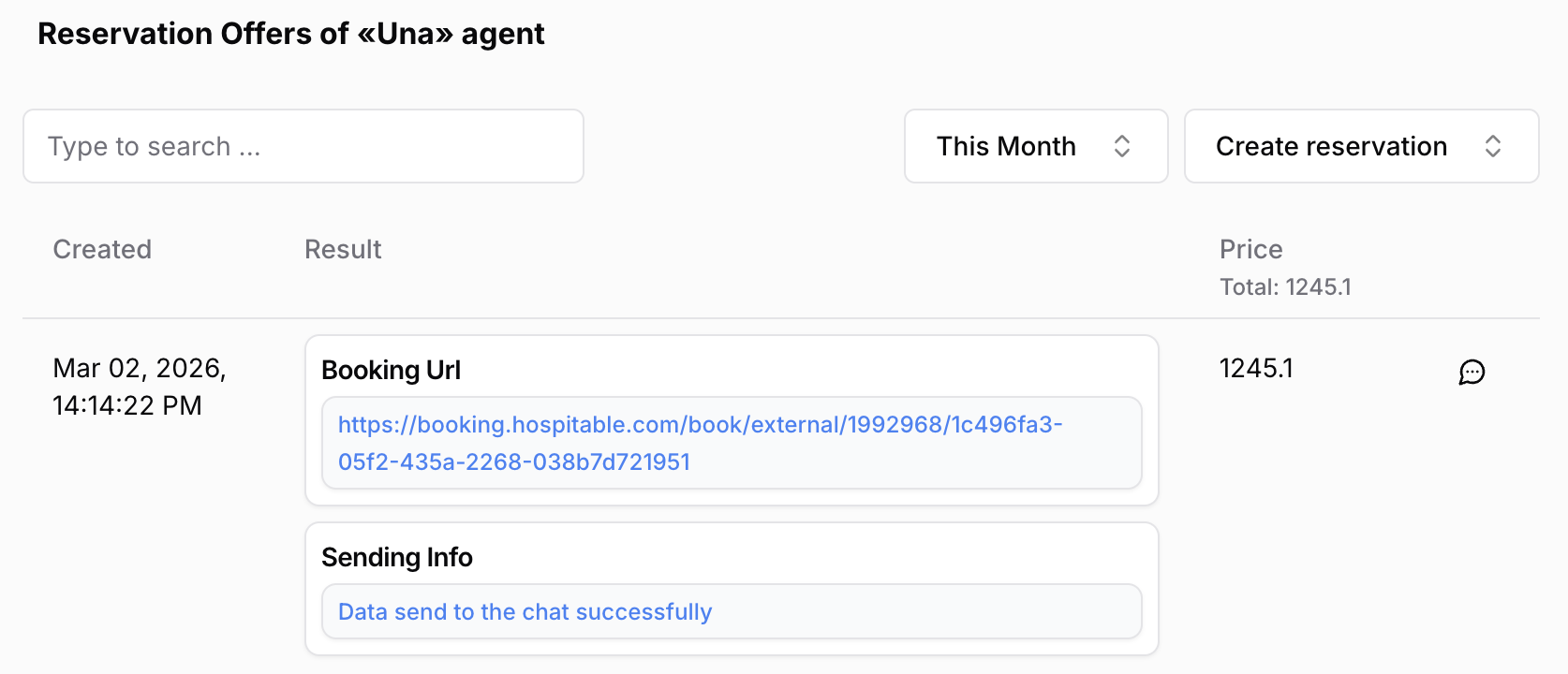
Main Filters
At the top of the page, use filters to narrow the event list.
The most important filters are:
Event type — Create reservation or Cancel reservation
Date range — Today, This Week, This Month, Last Week, Last Month, or a custom range
Search — search within the event list
Use these filters together when investigating a specific booking period or guest request.
Create Reservation Events
When the page is filtered to Create reservation, entries can include information such as:
booking creation date and time
guest details
arrival and departure dates
number of adults or other reservation details
reservation number
returned PMS result data
price totals when available
This view is useful for validating that the agent passed the expected information to the PMS.
Cancel Reservation Events
When filtered to Cancel reservation, the table shows cancellation-related event data. Depending on the PMS, you may see:
cancellation details returned by the system
reservation identifiers
timestamps
result payload details
Use this when you need to confirm whether a cancellation was triggered and what data the PMS returned.
Opening the Source Conversation
Each row includes a shortcut to the related guest conversation.
Open the conversation when you need to:
understand what the guest asked
see how Una guided the booking flow
confirm whether a cancellation request came from the guest
Pagination and Large Result Sets
Reservation Offers are paginated. If you do not see the event you need:
widen the date range
check the selected event type
move through additional pages
Best Practices
Start from the Statistics page if you first notice a spike in reservations or cancellations
Filter by period before exporting or reviewing activity
Open the related conversation whenever the event data alone is not enough
Use this page together with Room Types and Rate Plans if you suspect a configuration issue
Troubleshooting
Reservation Offers is missing: the selected agent may not have an active PMS connection
No events found: the selected period may have no reservation activity
Results look incomplete: open the related conversation for more context and verify the PMS connection in Connecting and Configuring a PMS