
WhatsApp Notifications
Receive real-time alerts on WhatsApp when Una collects new records, leads, or other important information.
How WhatsApp Notifications Work
Una can send real-time alerts directly to your WhatsApp — escalations, leads, and any other notification categories configured for your account.
WhatsApp notifications are useful for teams that need immediate mobile alerts without checking email.
Setting Up WhatsApp Notifications
Go to Agent Settings > Notifications
Select the category tab you want to configure (for example, Escalations or Leads)
Enable WhatsApp
Add one or more phone numbers (must be WhatsApp-enabled)
Click Save
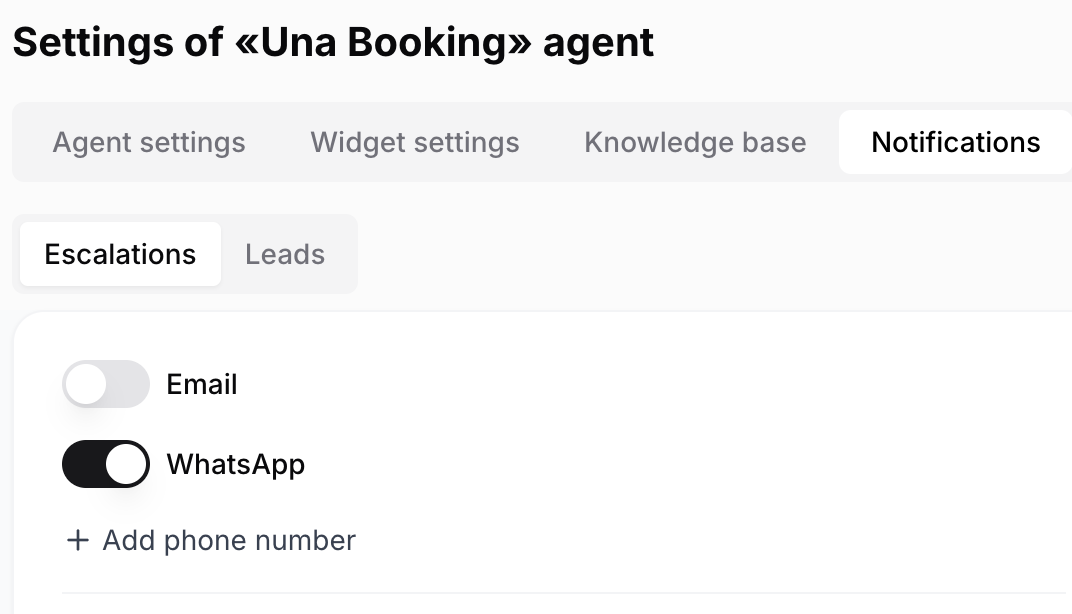
Each category has its own recipient list, so you can route different alert types to different people.
The 24-Hour Messaging Window
WhatsApp has a messaging window rule that affects how you receive alerts:
Window is open (you sent or tapped a message in WhatsApp within the last 24 hours): you receive full notification details immediately. No action needed.
Window is closed (no interaction from you in 24+ hours): you receive a short notification with a View Details button. Tap it once — Una will then deliver full details of all accumulated notifications, not just that one.
Any interaction — tapping "View Details" or replying with any text — reopens the window for another 24 hours.
Tips
WhatsApp works best for urgent, operational alerts (such as escalations) where speed matters
Use email for categories where a shared record is more important than immediate delivery
You can enable both WhatsApp and email on the same category if needed