
How Una Replies in Your PMS Inbox
Which guest conversations Una answers in Guesty, Hospitable and Zeevou, how your team takes one over and hands it back, and what Una leaves to your team.
On this page
Connected to the inbox of Guesty, Hospitable or Zeevou, Una handles pre-booking inquiries, upcoming stays and guests already staying. Replies go out through your PMS in conversations collected from Airbnb, Booking.com and your other channels, alongside your team's messages.
In an inbox conversation Una doesn't book new stays.
Setup steps are in Una with Guesty, Una with Hospitable and Una with Zeevou.
Switching Una On and Taking Over
Una answers a guest only when the property is switched on for Una and nobody on your team has taken the conversation over.
-
Switch Una on for a property: add the tag
unato the listing -
Take one conversation over: assign it to a person
-
Hand it back: set it to Unassigned
-
Stop Una for a property: remove the
unatag
Una doesn't reply in owner conversations, or in a conversation not linked to a reservation or inquiry.
-
Switch Una on for a property: add the tag
unato the property -
Take one conversation over: add
[una off]to the reservation's note. Inquiries with no reservation yet can't be taken over this way -
Hand it back: remove
[una off]from the note -
Stop Una for a property: remove the
unatag
-
Switch Una on: there is no switch per property. Una answers every conversation in the Inbox folder
-
Take one conversation over: move it to another folder
-
Hand it back: move it back to Inbox
-
Stop Una for the whole account: contact the Polydom team
After you hand a conversation back, Una doesn't answer the messages that arrived while your team had it. Una starts with the guest's next message.
When Your Team Replies
A reply alone doesn't stop Una. Una won't repeat your answer, but answers anything new. A reply Una was already sending may still arrive.
To keep Una out of a conversation, take it over as described above.
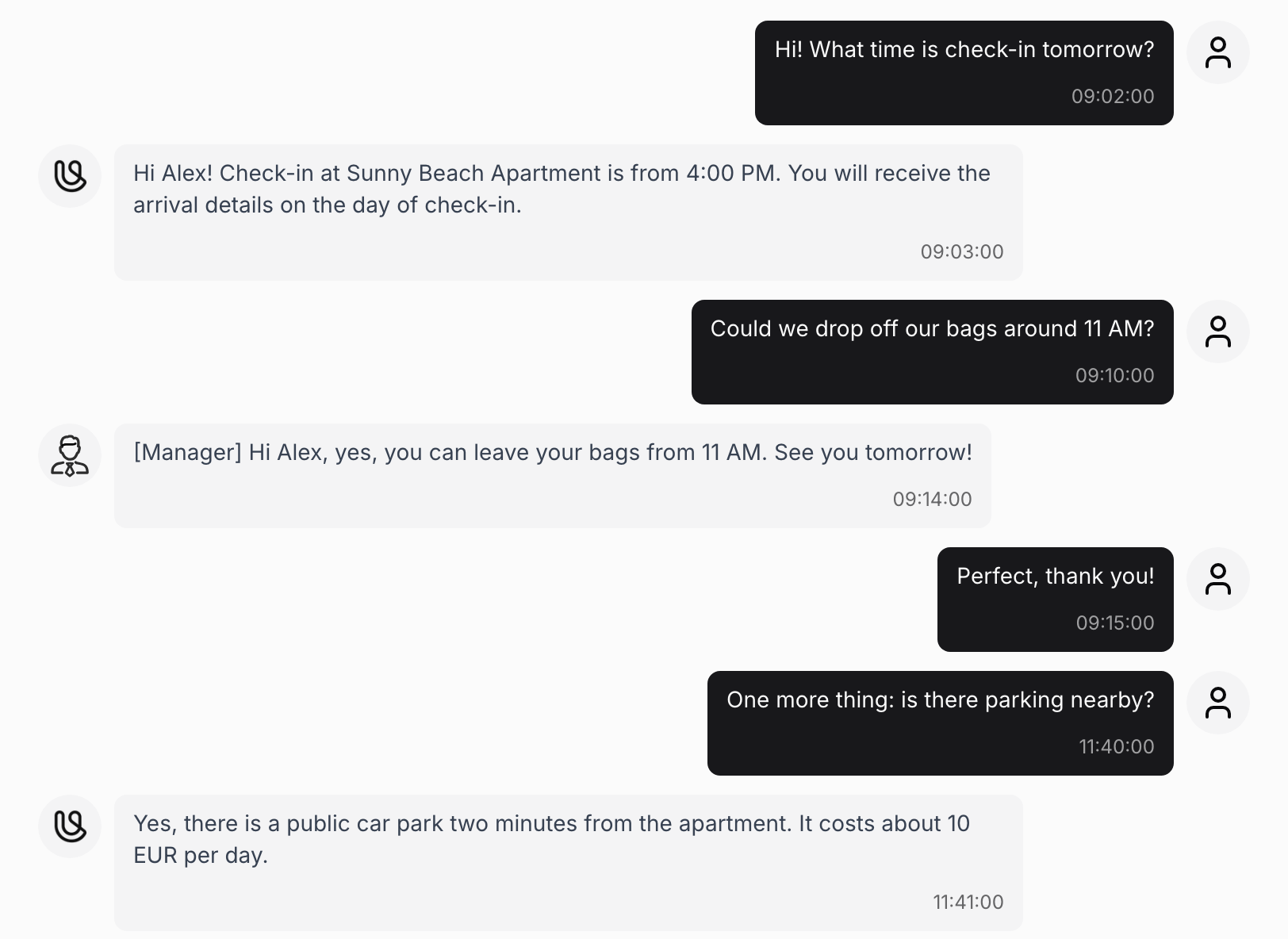
In the dashboard, your team's replies have the label [Manager], and automatic messages from your PMS have the label [Automated message]. Automatic messages don't count as a team reply.
The Pause After a Team Reply
The Polydom team can make Una wait a set number of minutes after your team's reply.
What Una Leaves to Your Team
In your PMS inbox Una only sends messages. Una doesn't:
-
assign, tag or move conversations
-
cancel or change reservations, issue refunds or promise compensation. The one exception is Zeevou, where Una can create stay extensions under the rules set for your agent
-
share access codes, WiFi passwords or entry details before your PMS shows that the guest may receive them
-
approve early check-in, late check-out or other special requests independently. Where your PMS shows the calendar, Una can tell the guest when another booking makes a request impossible
When something needs judgement, approval or action on site, such as a complaint, a billing dispute, maintenance or an urgent situation, Una passes it to your team and tells the guest.
What Your Team Is Notified About
When Una passes something to your team, Una saves it in Records with a summary and an Open chat button. See Managing Records. If notifications are on for that table, your team also gets an email or WhatsApp message. See Configuring Notifications.
Troubleshooting
-
Una didn't reply to a guest: check that the property is switched on, that the conversation isn't taken over, and whether your team replied shortly before (the pause).
-
Una replied after a colleague started helping the guest: a reply alone doesn't stop Una. Take the conversation over, or ask the Polydom team about a pause.
-
A guest message is missing from the dashboard: the property is probably not switched on for Una. In Zeevou, messages that arrive while a conversation is in another folder aren't shown either.