
Room Types and Rate Plans
Manage room types, amenities, media, and rate plans. Learn how to sync data from your PMS.
Why Room Types and Rate Plans Matter
Una uses this information when presenting options to guests. In the voice widget, guests also see a visual carousel of offers built from this data — so it is worth filling in clearly.
Each room type and rate plan has "original" fields pre-filled from your PMS. You can leave them as they are if they are already guest-friendly, but we recommend adding your own descriptions with as many details as possible for the best results.
Sync Manager
Sync Manager controls which rate plans Una can offer to guests. Rate plans that are not enabled here are invisible to Una.
Open PMS Settings and click the Sync Manager button (top right)
A list of your PMS rate plans appears with toggle switches
Enable the rate plans you want Una to sell
Disable the ones you do not want Una to offer
Click Sync
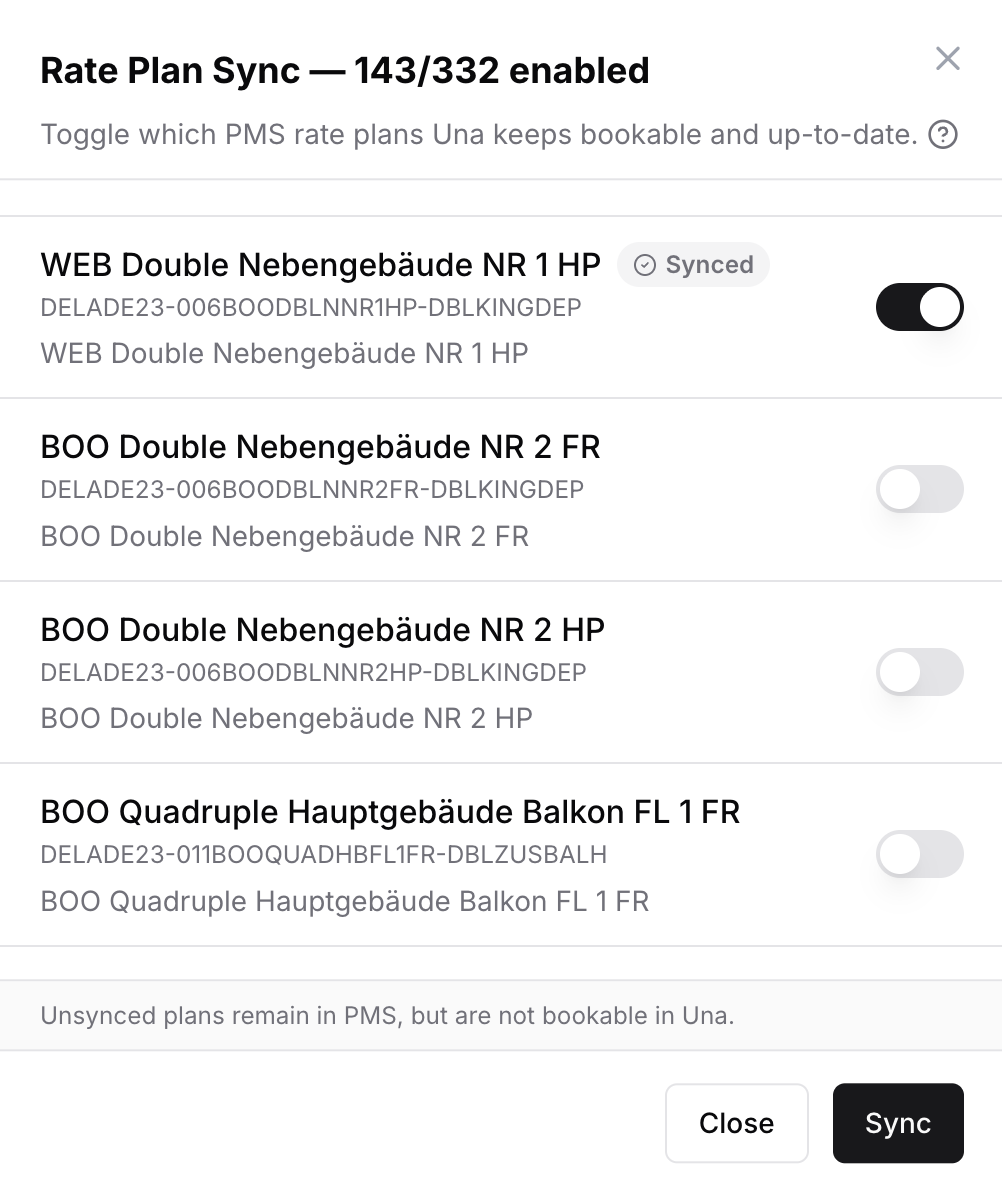
If you add new rate plans in your PMS later, come back to Sync Manager and enable them.
Room Types
Go to PMS Settings > Room Types to see your synced room types.
Each room type card shows the name, description, bed configuration, room size, max occupancy, amenities, and photos.
Editing a Room Type
Click Edit on any room type card. The editor has four tabs:
Basic Info — name, description, size, max occupancy
Media — upload, reorder, and describe photos
Beds — bed types and quantities
Features — toggle amenities on or off
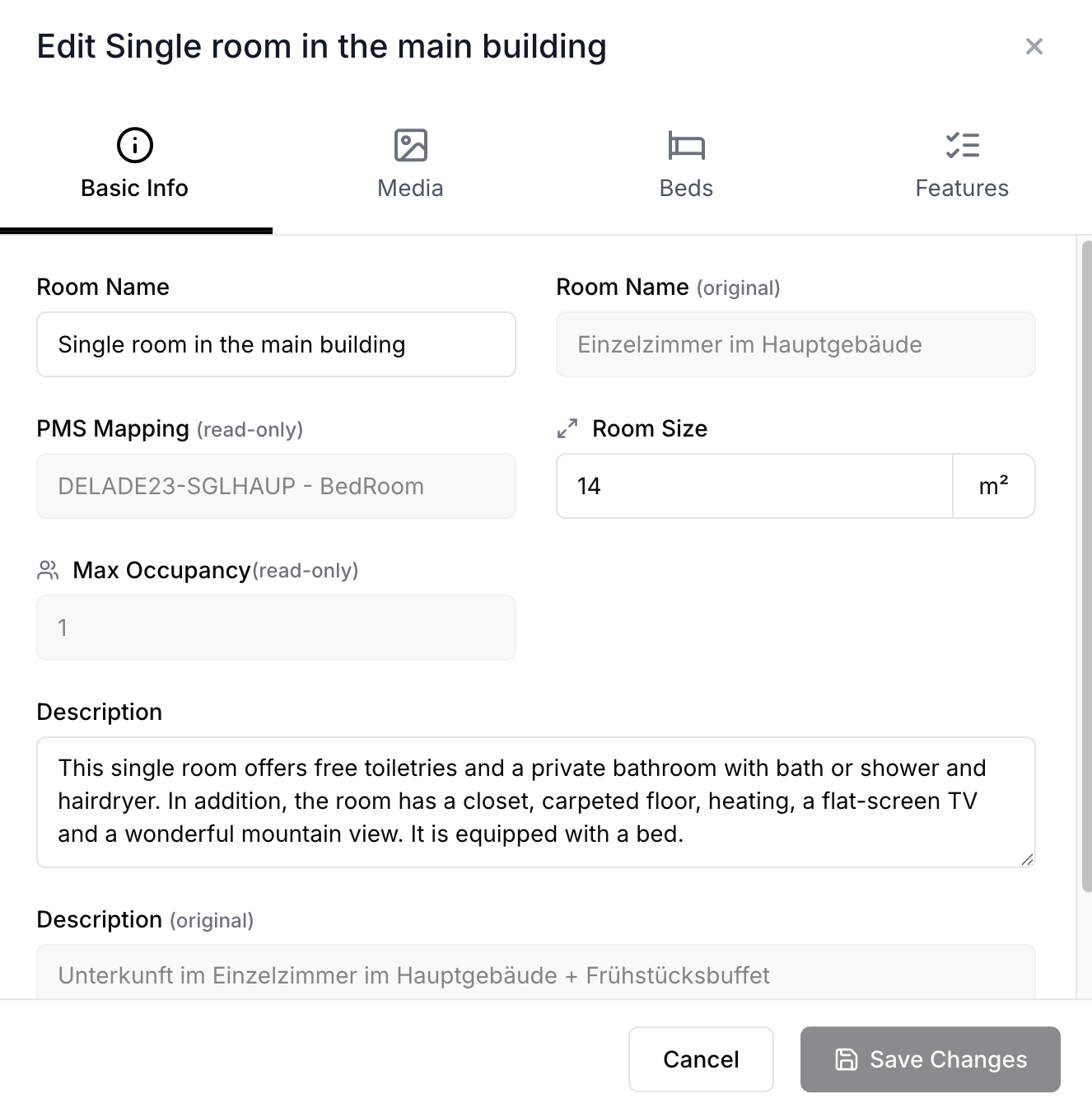
The "original" fields on the right show what came from your PMS — use them as a reference while writing your own descriptions.
Rate Plans
Go to PMS Settings > Rate Plans to see your synced rate plans.
Editing a Rate Plan
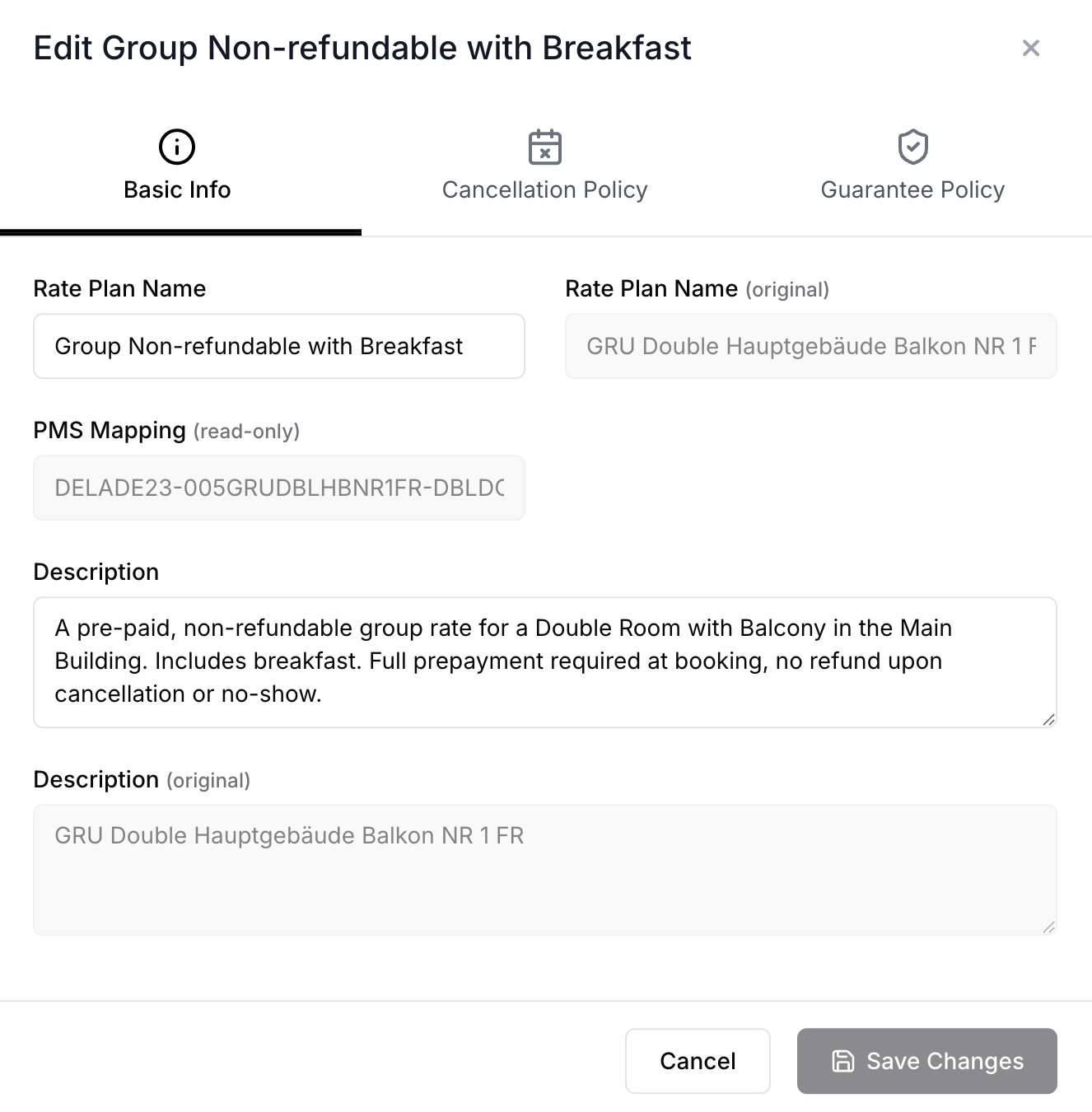
Click Edit on any rate plan card. The editor has tabs for:
Basic Info — name and description
Cancellation Policy — cancellation rules and conditions
Guarantee Policy — payment and guarantee requirements
Tips
Complete room type details (descriptions, amenities, photos) before going live — this is what guests see
Use English for the best results when writing descriptions
Enable only the rate plans you actually want Una to sell
If no room types or rate plans appear, click Sync Manager and run a sync